Most back-office automation projects don't fail because the technology doesn't work. They fail because enterprises automate the wrong processes, with the wrong tools, against operations that were never cleaned before deployment began. The result is a layer of bots handling predictable transactions while humans absorb the exceptions, a two-tier structure that often costs more to operate than it saves.
Artificial intelligence changes one part of that equation. Not all of it. Understanding which part, and why traditional tools couldn't reach it, is what separates AI-powered back-office automation programs that deliver from ones that stall at the pilot stage.
Your automation program fails most often not because of the tools you choose but because of what you point them at. Data entry tasks that look standardized in documentation carry years of informal workarounds. Invoice processing workflows that run cleanly in a test environment encounter vendor-specific formats, validation errors, and approval edge cases the moment they hit production. Purchase orders that appear rule-bound turn out to depend on institutional knowledge that was never written down.
Robotic process automation is brittle by design. It follows scripts. When a transaction deviates from the expected pattern — a non-standard invoice format, a field that populates incorrectly in your core system, a vendor credit that doesn't match the expected schema — the bot stops and the exception lands in a human queue. Across a large accounts payable operation, those exceptions quickly consume more time than the automation saves. Business process automation tools built on the same rules-based architecture reproduce the same pattern: they optimize the clean path and create a backlog of everything else.
The fix isn't a better tool. It's process audit before tool selection. If you automate the official version of a workflow rather than the actual version, no technology closes the gap. What back-office operations actually involve — the full scope of workflows, not just the high-volume ones that make it into documentation — matters as much as which tool you deploy.
Every enterprise back office runs against ERP. Most back office automation software doesn't run cleanly with it. The legacy systems anchoring financial reporting, procurement, and accounts payable in large organizations were built to process transactions reliably — not to expose structured data for downstream automation. Getting those tools to read from and write to it cleanly requires custom integrations that are expensive to build, time-consuming to validate, and brittle once deployed.
The symptom is usually framed as an integration problem. The actual problem is architecture: the back office stack was never designed for the kind of orchestration that workflow automation requires. Connecting that system to accounts receivable, your data entry workflows, and operational systems creates failure surfaces at every boundary. When a field name changes in a system update, or a downstream system outputs data in an unexpected format, the process breaks. Every fix is a dependency that will break again.
This is also why ROI often looks strong at month six and disappointing at month eighteen. The initial throughput gain is real. The maintenance drag compounds.
Rules-based back office automation handles the clean path reliably. In a typical high-volume operation, 60 to 70 percent of invoices process without intervention. The remaining 30 to 40 percent require judgment: resolving a cash flow discrepancy, validating a mismatched document, confirming a fraud detection signal that falls below the threshold for automatic rejection, escalating an incident management case that crosses business units. In procurement, the exception rate is higher still — decisions there involve policy judgment and supplier relationships that rules alone can't encode.
Traditional business process management routes all of this to humans. Exception queues fill. Operational costs don't fall as projected. And the teams handling those queues often have less context than before, because the routine transactions that built their institutional knowledge are now handled by software.
This isn't a configuration failure. It's a structural limit of rules-based tools. You can tune the exception categories, add more logic, refine the thresholds. The fundamental constraint — the tool matches patterns rather than reasoning — doesn't change.
AI agents change the economics at the exception layer. That's a specific, bounded claim — and it's the right one to evaluate before building a business case around it.
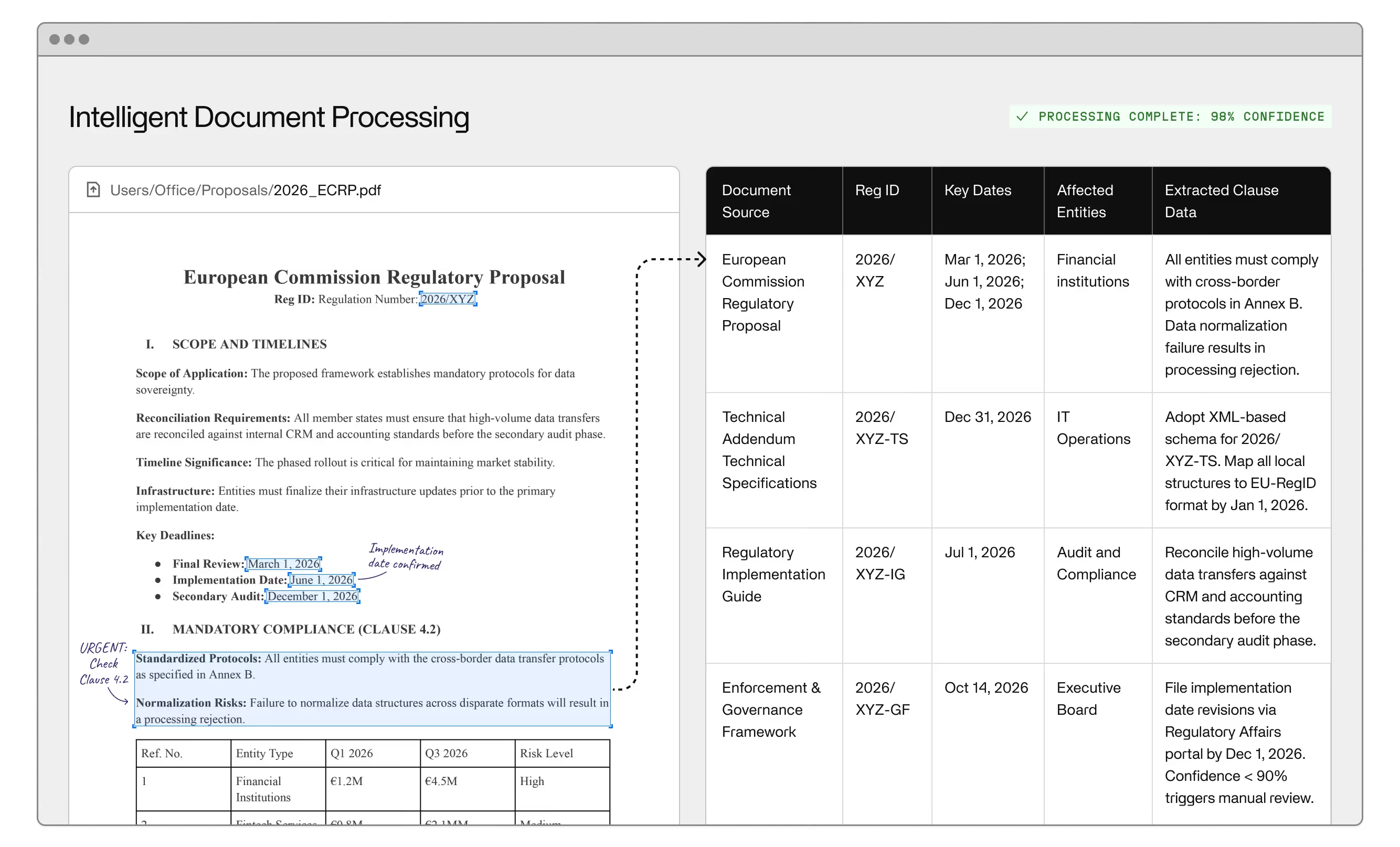
An AI agent operating on an accounts payable workflow can read a non-standard invoice, check it against vendor history and procurement records, identify the discrepancy, and either resolve it autonomously or escalate with a specific recommendation. That capability comes from natural language processing: the ability to work across document formats without pre-mapped templates, combined with machine learning that improves on the edge cases the system encounters over time. An AI agent handling order processing can adapt to customer-specific formats without manual reconfiguration. An AI agent applied to employee onboarding can manage policy exceptions rather than routing every edge case to HR. AI-driven expense management can evaluate ambiguous submissions against policy rather than applying a blanket threshold rule.
What this means for the economics: intelligent automation includes the exception layer in its ROI calculation, which is where the real operational cost lives. You're not just speeding up transactions that already worked. Invisible's work with one integrated business solutions provider reduced 9,500 hours of manual work through exactly this kind of exception-layer redesign — replacing the queue-based handling that had accumulated around their rules-based tools.
What AI agents don't fix is process design. Digital transformation programs that treat AI as a shortcut past organizational problems reproduce the same failure pattern as the rules-based programs they're replacing. If your procurement workflow had eight informal exception types before automation, an AI agent will manage them more capably than a bot — but the workflow is still the problem.
The enterprises that get sustained ROI from back office automation consistently do three things that most initial deployments skip.
They audit before they automate. Process documentation is treated as a hypothesis, not a specification. Real transaction data (volumes, exception rates, actual steps) drives tool selection. Processes with high exception rates get redesigned before any office automation system is deployed against them, not after the first sprint fails.
They design human-in-the-loop architecture intentionally. Real-time data visibility, audit trails, and clear escalation paths are built into the workflow from day one, not added as patches when something goes wrong. Back office automation software that doesn't give your operations team clear visibility into where AI agents are making decisions and where humans are reviewing them is a liability at scale, particularly in regulated environments.
They measure employee productivity as part of the ROI model, not just headcount. The outcome isn't eliminating people. It's redeploying them from high-volume routine transactions to harder judgment calls, vendor relationships, and operational oversight. Teams that only measure transaction throughput systematically undervalue what they've built.
Operational efficiency gains from well-designed automation are real. So is the gap between enterprises that plan for scale and ones that automate first and redesign later. If your process audit raises the question of whether AI automation is the right vehicle at all, back-office outsourcing vs. AI automation covers the comparison worth making before you commit to either path. Once you've worked through the failure modes covered here, which back-office workflows actually benefit from automation is the more useful question to pressure-test next.
Ready to pressure-test your automation approach? Learn how Invisible's back-office automation services are designed to hold at scale, or get in touch to talk through your deployment.
The most common failure is deploying business process automation tools against processes that haven't been audited first. Rules-based tools require predictable, structured inputs — and back-office processes rarely deliver them cleanly in practice. When the tool encounters the informal exceptions that define real operations, it routes to a human queue and the efficiency gain disappears fast.
AI addresses the exception-handling limitation that makes rules-based tools brittle. An AI agent can reason through a non-standard invoice, resolve a procurement discrepancy, or adapt to a document format it hasn't seen before — tasks that route to human queues under rules-based automation. AI doesn't fix poor process design. It handles the variability that rules can't encode.
Processes with high transaction volume and meaningful exception rates are where AI-based back office automation delivers the clearest advantage. Accounts payable, invoice processing, procurement approvals, and financial reporting reconciliation all fit this profile. Rules-based automation still works well for fully standardized, high-volume tasks. The right split depends on your actual exception rate, not a vendor demo.
A focused deployment targeting a single workflow — data entry standardization or purchase order processing, for example — typically runs three to six months from process audit to production. Enterprise-wide programs spanning ERP integration and multiple workflow types typically take 12 to 18 months. Timelines compress when process documentation is accurate and exception patterns are already well understood.
Robotic process automation follows defined scripts and fails when inputs deviate from expected patterns — which is why exception rates drive up cost in most deployments. Intelligent automation uses AI agents, machine learning, and natural language processing to handle variability by reasoning about context. The practical difference shows up most clearly in high-exception workflows like procurement approvals and financial reconciliation.
Measure separately across the clean path and the exception layer. Clean-path metrics — cost per transaction, error rate, throughput — are reliable and straightforward. Exception-layer metrics capture autonomous resolution rate, time-to-resolution, and downstream error rate from AI-assisted decisions. Enterprises that only track clean-path metrics understate the value of intelligent automation and make underinvestment decisions on the capability that compounds most.